
Education
5 min read

Best medical dictation software for Mac in Australia
Published on
September 23, 2026
Medical dictation software for Mac
Contributors
Lyrebird Health
Subscribe to our newsletter
Read about our privacy policy.
Thank you! Your submission has been received!
Oops! Something went wrong while submitting the form.

Medical dictation on a Mac is a deployment decision as much as a speech-recognition decision. A dependable setup helps the clinician keep attention on the patient while preserving review and sign-off. The right option must run cleanly on Apple silicon, receive the right macOS permissions, capture in-room or telehealth audio, and return a draft to the Australian clinical system you use.

Lyrebird Health publishes this guide and Lyrebird appears in the comparison. Every product is assessed on the same practical fields: Mac delivery, documentation workflow, permissions and audio, Australian clinical-system fit, data boundaries, price and limitations.

What changes when medical dictation runs on a Mac

Our broader medical dictation guide explains the category. On macOS, four additional decisions determine whether the software will work in daily practice.

Choose the documentation workflow first. Direct dictation converts the clinician's deliberate speech into text. Ambient documentation captures a clinician-patient conversation and prepares a structured draft. Hybrid products offer both. A specialist who dictates letters after each consult needs a different workflow from a GP who wants a draft note prepared during the consult.

Separate browser access from native Mac support. A browser app can work on both Intel and Apple-silicon Macs without a processor-specific download. A native app should identify whether it supports Apple silicon, Intel, or both. A Windows app delivered through Citrix or a virtual machine is still a Windows deployment, even when the endpoint is a Mac.

Map the audio route to the permissions. Every option needs microphone access. A browser also needs site-level microphone permission. Telehealth capture through a native app may need Screen & System Audio Recording, while system-wide at-cursor dictation may need Accessibility. Apple manages microphone access under System Settings > Privacy & Security, and Chrome manages its own site microphone access.

Follow the note into the patient record. Appointment import, copy and paste, one-click write-back and at-cursor entry are different capabilities. The safest comparison follows a de-identified consult from audio capture through draft review, editing, sign-off and filing in the correct patient record.

Mac comparison at a glance

For Australian clinicians who want ambient notes and clinician-led dictation on a Mac, documented local clinical-system workflows, Australian pricing and an Australian data boundary, Lyrebird is the lead option in this comparison. That recommendation is scoped. Philips SpeechLive may suit a traditional dictation queue, Heidi may suit teams that want a native telehealth app, and Nabla's native dictation may suit an Apple-silicon Epic environment. Dragon Medical One is included as the Windows and virtualisation comparator, rather than a native Mac recommendation.

Product Mac delivery model Dictation or ambient workflow Permissions and audio routing Australian clinical-system workflow Privacy and data boundary Current price Main limitation
Lyrebird Browser-based, with Chrome recommended; optional desktop component for Genie only Ambient notes, Direct Dictate and Smart Dictate macOS and browser microphone access; input selection in Chrome Manual copy and paste, plus documented Bp Premier, Gentu and Genie write-back paths Personal information stored in Australia; audio deleted immediately after transcription by default Free $0; Bp Free $0; Pro A$240 monthly or A$1,920 annually, excluding goods and services tax (GST); Enterprise custom No general-purpose native Mac app or system-wide at-cursor layer
Heidi Health Native Apple-silicon and Intel apps; Chrome or Edge web app Ambient capture plus session, inline, mobile and limited-release global Dictate modes Microphone; Screen & System Audio Recording for telehealth; Accessibility for global Dictate Best Practice imports appointments but uses copy and paste for notes; MedicalDirector can push structured notes Local-jurisdiction storage for Australian customers, with some third-party processing possible overseas Free $0; Clinician A$120 monthly or A$85 monthly billed annually; Practice A$130 monthly billed annually; Enterprise custom System-wide Dictate is in limited release; broad native permissions require governance
Philips SpeechLive Web, native desktop and mobile apps; desktop supports Apple silicon and Intel Traditional dictation, transcription routing and at-cursor speech recognition Chrome microphone or desktop microphone access; Safari is unsupported At-cursor entry can work in clinical-system text fields; no Australian system-specific write-back is documented Australia and New Zealand service region hosted in Victoria AI Speech Recognition from $56.80 per user/month, excluding GST; the page does not label the currency Better aligned to deliberate dictation than ambient consult drafting
Nabla Ambient web app in Chrome or Edge; separate native Apple-silicon Dictation app Ambient Copilot plus direct at-cursor dictation Browser microphone for ambient use; native Dictation processes audio on device Public integration paths focus on Epic and athenaOne Native Dictation keeps audio processing on device; public material does not establish Australian hosting or APP alignment Quote-based; no public standard price Australian availability, data handling, integrations and price require confirmation
Dragon Medical One Native Windows app accessed from a Mac through a published virtual app or Windows virtual machine Traditional direct dictation and voice commands Virtual audio routing and supported microphone path; not direct macOS microphone integration Australian and New Zealand packages are available; workflow depends on the hosted Windows clinical application Cloud speech recognition; regional, retention and contract terms are deployment-specific Quote-based; no public list price Cannot be installed directly on macOS and has no official Apple-silicon validation

Five options for medical dictation on Mac

1. Lyrebird
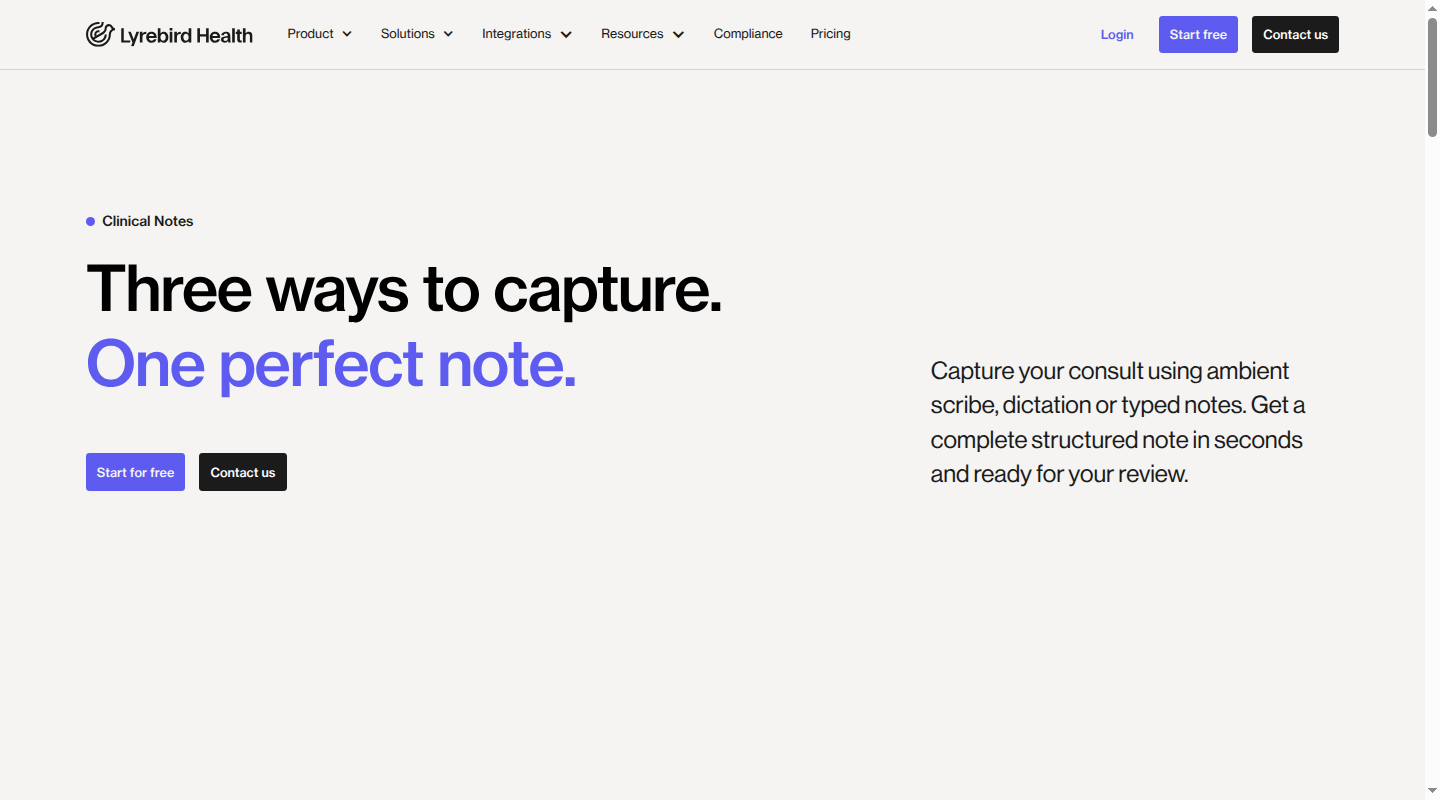
Lyrebird clinical AI platform running in a browser

May suit: Australian clinicians and practices that want one browser-based clinical AI platform for ambient notes and deliberate dictation, with documented local clinical-system pathways.

  • Mac delivery model: Lyrebird is web-based and recommends Google Chrome, so there is no separate Apple-silicon or Intel build to manage. The exception is the optional Mac or Windows desktop component used to connect the Genie integration.
  • Dictation or ambient workflow: Ambient capture prepares a draft clinical note from the consult. Direct Dictate and Smart Dictate support clinician-led speech, including structured rather than strictly verbatim output. The current dictation guide distinguishes these modes.
  • Permissions and audio routing: Chrome needs site-level microphone access and macOS must allow Chrome under Privacy & Security > Microphone. The selected input is visible through the audio level indicator, which matters when a Mac has built-in, USB and headset microphones connected at once. The microphone setup covers both browser and macOS controls.
  • Australian clinical-system workflow: Notes can move by Copy and Command + V in any clinical system. Lyrebird also supports Bp Premier, Gentu and Genie integrations, including direct save paths where available. See the transfer options and integration directory.
  • Privacy and data boundary: Personal information is stored in Australia. Audio is deleted immediately after transcription by default. If audio retention is enabled, the maximum is six months. Overseas access scenarios and retention for transcripts, notes, logs and backups are set out in the privacy policy.
  • Current price: Free is $0 and Bp Free is $0 for eligible Bp Premier users. Pro is A$240 monthly or A$1,920 annually, equal to A$160 per month, excluding GST. Enterprise pricing is custom. See Lyrebird pricing.
  • Limitations: Lyrebird is not a general-purpose native Mac utility that places dictated text at the cursor in every application. Teams wanting a system-wide voice layer should weigh that against Lyrebird's Australian workflow and data advantages.

2. Heidi Health
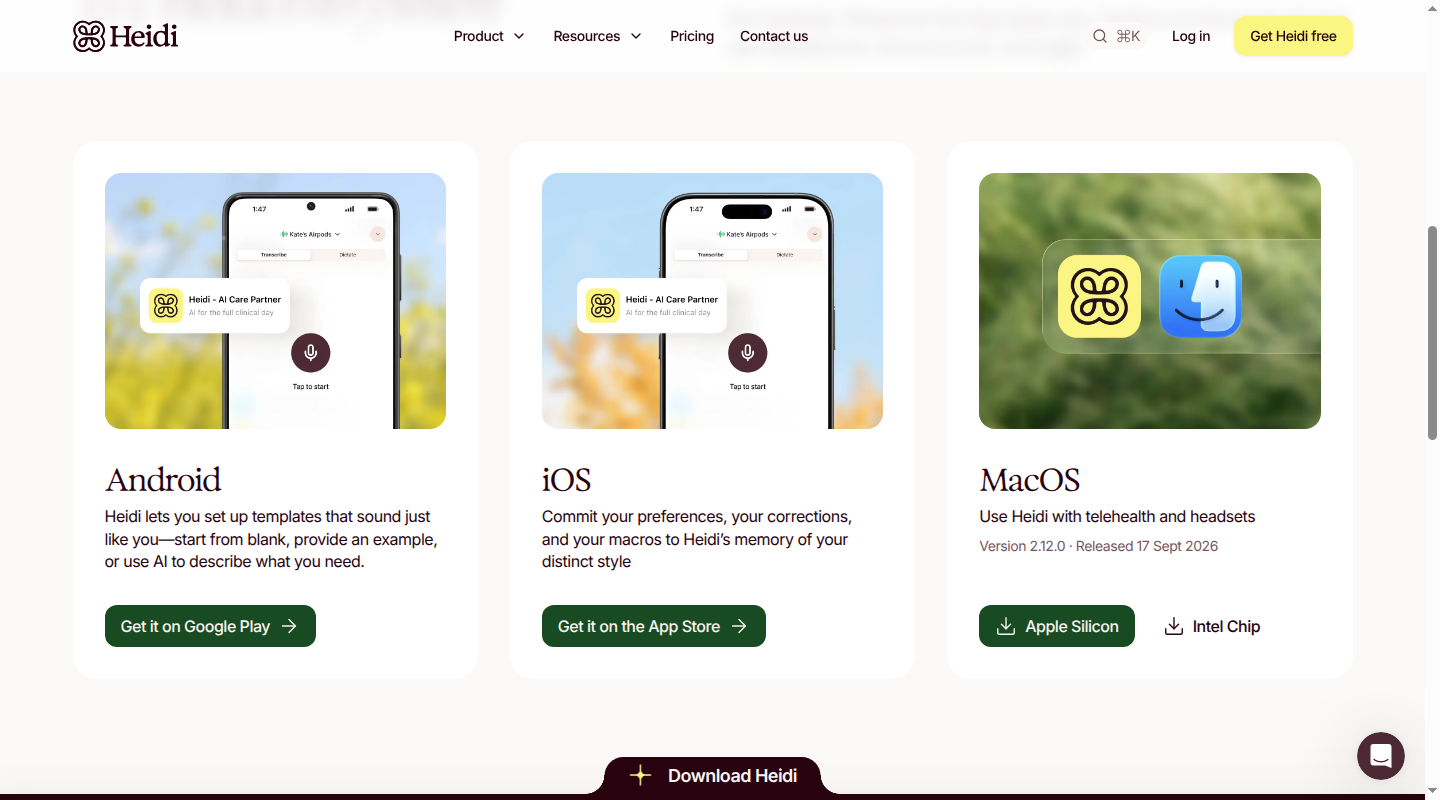
Heidi Health Mac downloads for Apple silicon and Intel

May suit: Clinicians who want a native Mac app for ambient and telehealth capture, plus several direct-dictation modes.

  • Mac delivery model: Heidi offers separate native downloads for Apple-silicon and Intel Macs, alongside a web app for current Chromium browsers. The minimum is macOS 13.1 and macOS 15 or later is recommended in its system requirements.
  • Dictation or ambient workflow: Heidi supports ambient transcription and four voice-input paths: global Dictate, Session Dictation, Inline Dictation and Mobile Dictation. Global Dictate can place text into other Mac apps through a hotkey, but it is currently in limited release.
  • Permissions and audio routing: Standard capture needs Microphone permission. Telehealth system-audio capture needs Screen & System Audio Recording. Global Dictate also needs Accessibility permission so the app can insert text at the cursor. The desktop app permissions state that system-audio access does not record or share screen content.
  • Australian clinical-system workflow: The Best Practice connection imports appointments, but completed notes still move into the patient record by copy and paste. Best Practice setup requires the Practice tier. In MedicalDirector Clinical, Smart Scribe can push structured notes into the record through an embedded workflow on Practice or Enterprise plans. See the MedicalDirector integration.
  • Privacy and data boundary: Australian customer information is stored in the local jurisdiction, while some third-party services may process information internationally under data-processing agreements. Session Dictation audio is not stored by default unless playback is enabled. See the privacy policy and dictation storage details.
  • Current price: Free is A$0. Clinician is A$120 monthly or A$85 per month billed annually. Practice is A$130 per month billed annually. Enterprise has custom terms. See Heidi pricing.
  • Limitations: The native app has a broader permission footprint than a microphone-only browser workflow. Global Dictate is still limited release, and the Best Practice connection does not write the completed note back automatically.

3. Philips SpeechLive
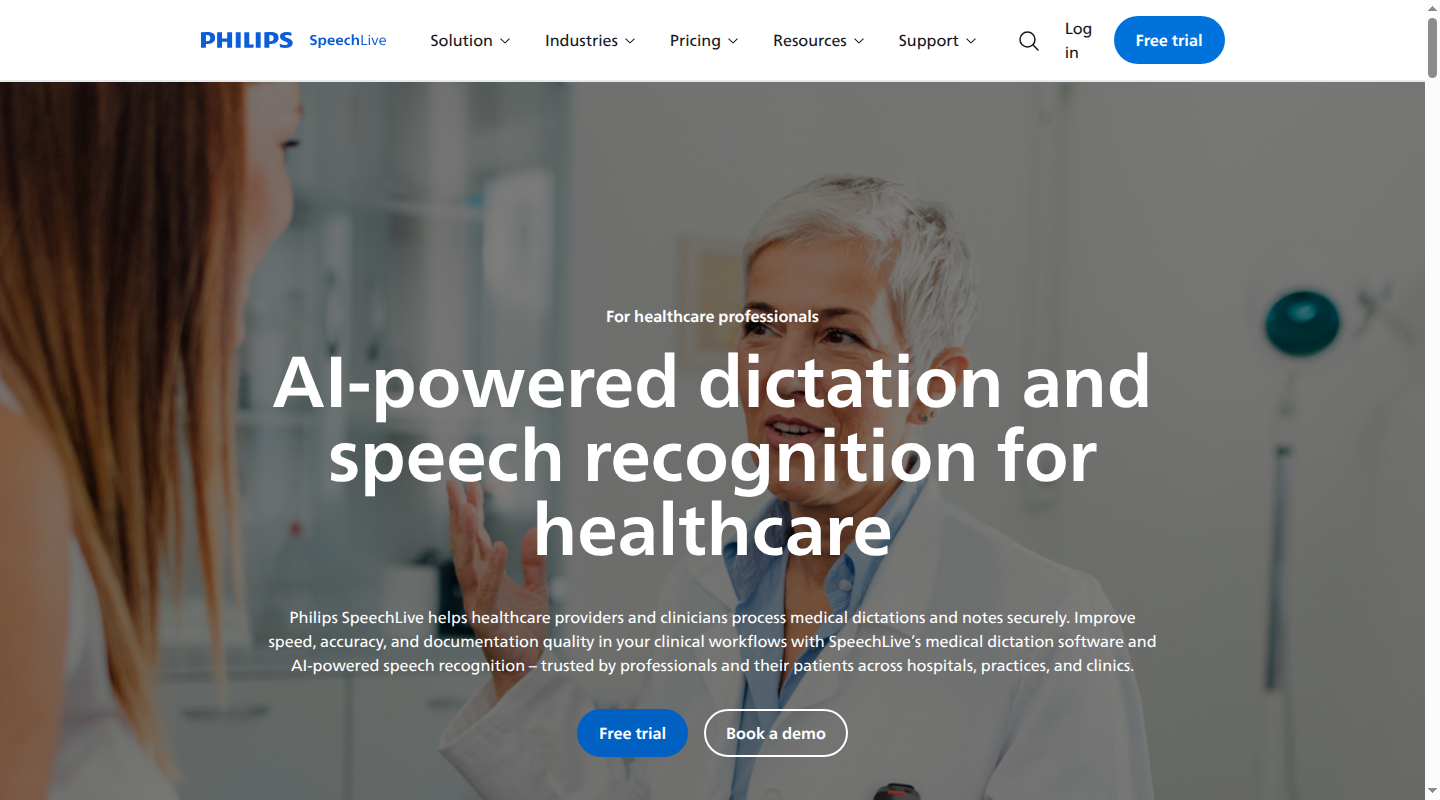
Philips SpeechLive healthcare dictation product page

May suit: Practices that prefer traditional clinician dictation, assistant review or speech-recognition queues, with a native Mac app and an Australian hosting region.

  • Mac delivery model: SpeechLive is available through web, desktop and mobile apps. Its desktop app explicitly supports macOS on Apple-silicon and Intel processors. Chrome is supported for the web app, while Safari on macOS is expressly unsupported in the system requirements.
  • Dictation or ambient workflow: The core workflow is deliberate dictation. Audio can route to an assistant or speech recognition, and the desktop app can enter recognised text at the cursor. SpeechLive also offers a separate Health AI Assistant for clinician-patient conversations. It is an additional medical workflow, rather than an assumed inclusion in the base plan.
  • Permissions and audio routing: The web app needs Chrome microphone access. The desktop app uses the selected microphone and can type into text fields in other applications. SpeechLive also supports dedicated dictation hardware and mobile recording, which may help teams that already use SpeechMike or PocketMemo devices.
  • Australian clinical-system workflow: At-cursor dictation can work inside an electronic health record or patient-management system without a direct integration. That is distinct from patient matching, appointment import or structured one-click write-back, none of which is documented for the Australian systems considered here.
  • Privacy and data boundary: The Australia and New Zealand service region is hosted in Victoria. Storage behaviour differs by workflow: dictations can be retained for routing and review, while speech-recognition processing has separate handling. The data and privacy details should therefore be mapped to the chosen plan and workflow.
  • Current price: The Australian pricing route displays AI Speech Recognition from $56.80 per user/month, excluding GST, but it does not label the currency. The amount should not be treated as confirmed AUD until the commercial quote identifies it. See SpeechLive pricing.
  • Limitations: SpeechLive's clearest fit is deliberate dictation and transcription management. Practices seeking an ambient-first draft with Australian appointment and write-back integrations may need more workflow design around it.

4. Nabla
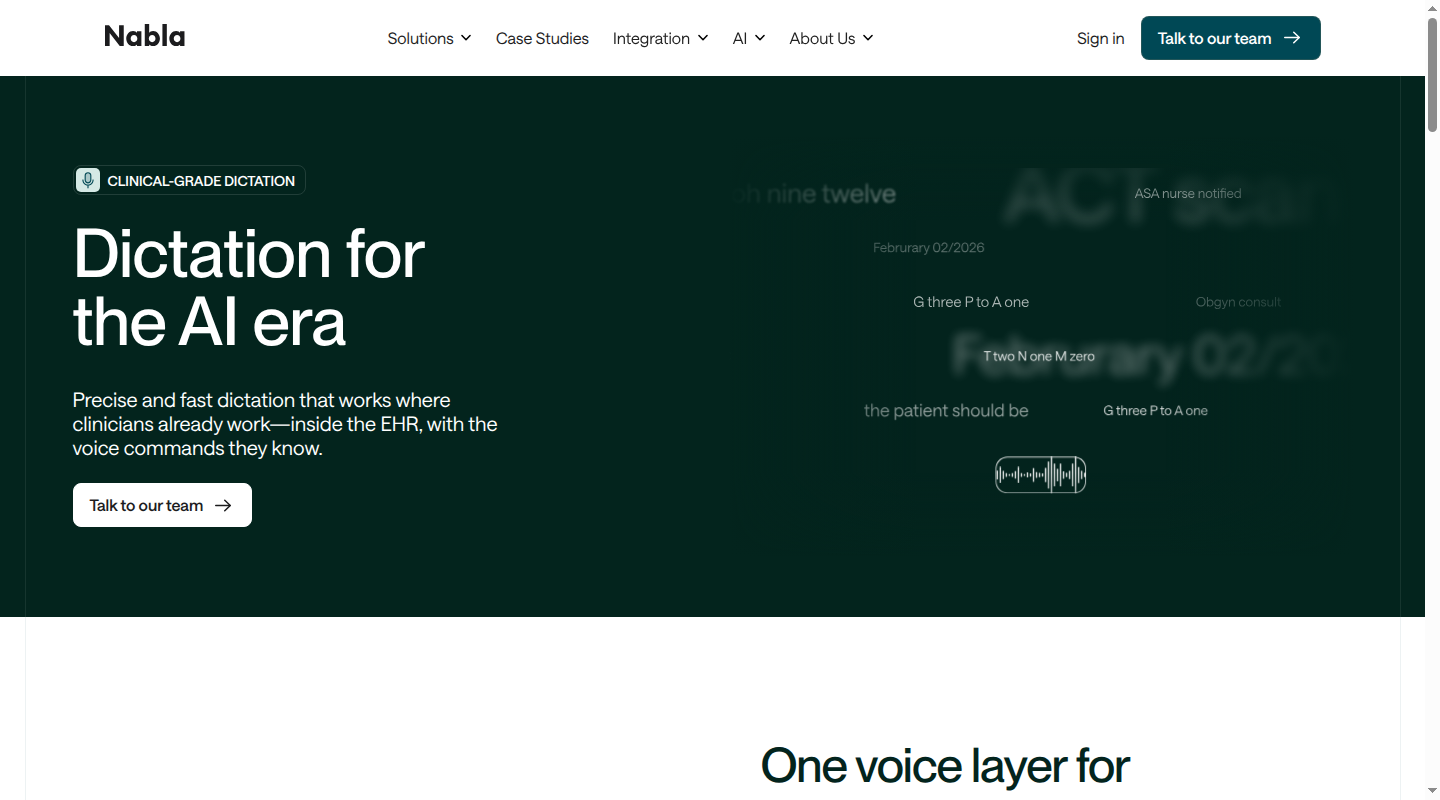
Nabla clinical dictation product page

May suit: Apple-silicon health-system environments that want on-device at-cursor dictation alongside an ambient product, particularly where Epic is already central.

  • Mac delivery model: Nabla Copilot runs in Chrome or Edge as a web app. Nabla Dictation is a separate native app built for Apple silicon. Its Mac speech stack uses Swift, Core ML and the Apple Neural Engine for local processing.
  • Dictation or ambient workflow: Copilot handles ambient encounters, while Nabla Dictation provides deliberate at-cursor entry, anchor dictation, voice commands and shortcuts. The dictation product positions the two as one voice layer, but they remain technically distinct delivery paths on a Mac.
  • Permissions and audio routing: Ambient use needs browser microphone access. The native Dictation path processes speech on the device, so its audio does not need to be sent to a server. Public materials do not identify an Intel-native Dictation build.
  • Australian clinical-system workflow: Nabla Connect provides integration routes for Epic, athenaOne and other electronic health records. It does not document Bp Premier, MedicalDirector, Gentu or Genie workflows.
  • Privacy and data boundary: Native Mac Dictation processes audio on device. Nabla does not retain audio for the ambient product, and standard patient-data retention is 14 days, adjustable through retention settings. Public materials do not establish Australian hosting or alignment with the Australian Privacy Principles (APPs).
  • Current price: Nabla is quote-based. The public dictation and integration pages direct buyers to its team rather than publishing a standard price.
  • Limitations: Australian buyers must confirm commercial availability, local support, data handling, APP alignment, clinical-system integration and price. The native Dictation proposition is specifically Apple-silicon focused, so it does not answer an Intel Mac requirement.

5. Dragon Medical One
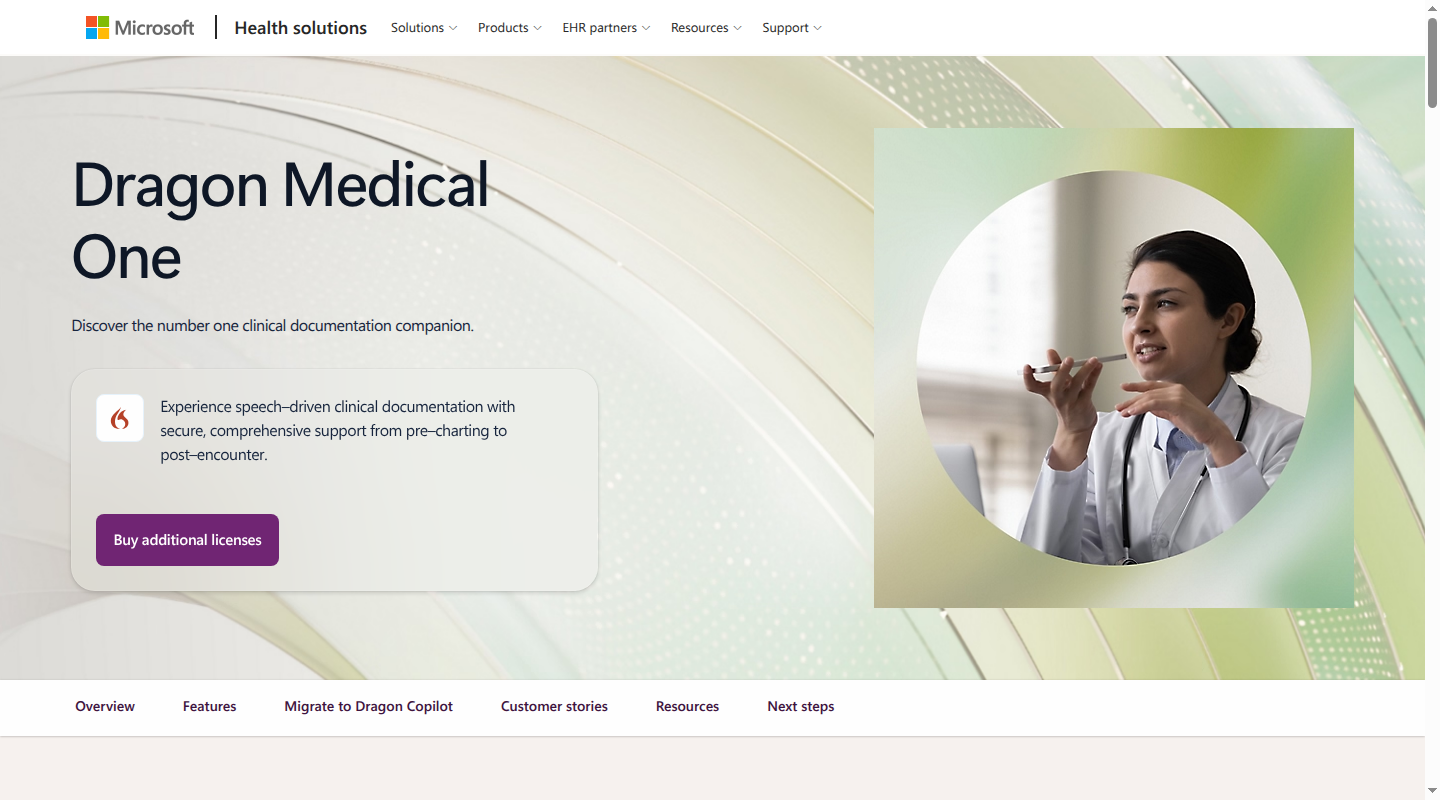
Microsoft Dragon Medical One clinical dictation product page

May suit: Organisations that already deliver their clinical application through a managed Windows virtual environment and want to retain an established Dragon workflow at Mac endpoints.

  • Mac delivery model: Dragon Medical One is a native Windows application and cannot be installed directly on macOS. Microsoft supports access from a Mac through a published virtual application such as Citrix, or by installing Dragon inside a Windows virtual machine. The Mac deployment guidance is explicit on this boundary.
  • Dictation or ambient workflow: Dragon Medical One is a direct-dictation product with voice commands, AutoText and a Dictation Box. It is not the native Mac ambient workflow offered by the other clinical AI products in this comparison.
  • Permissions and audio routing: Audio must reach the hosted Windows application through the supported virtual channel or virtual-machine microphone pass-through. For a published Mac endpoint, Microsoft's supported input is PowerMic Mobile; hardware PowerMic models, third-party microphones and headsets are listed as unsupported in that configuration.
  • Australian clinical-system workflow: Microsoft provides current installation packages for the Australia and New Zealand region. Dragon must run in the same process space as the target Windows application, so the practical fit depends on how the organisation publishes its clinical system. See the AU/NZ resource centre.
  • Privacy and data boundary: Dragon Medical One uses cloud speech recognition. Data region, retention, support access and contractual privacy terms depend on the organisation's deployment and agreement rather than a public Australian self-serve plan.
  • Current price: Dragon Medical One is quote-based in Australia and New Zealand. Microsoft does not publish a current standard list price for this deployment.
  • Limitations: Current requirements specify Windows and Microsoft .NET 10.x (x86), and the Mac guidance does not validate an Apple-silicon host configuration. Dictation at the cursor in native macOS applications is unsupported. See the system requirements.

A practical Mac setup sequence

Use the same sequence whether the product is browser-based or native:

  1. Record the Mac baseline. Note the processor under About This Mac, the macOS version, whether the device is managed, and whether the clinical system runs locally, in a browser or through remote access. This immediately rules out incompatible native builds and unmanaged virtualisation workarounds.
  2. Grant only the permissions the workflow needs. Allow Microphone for every capture workflow. Add Chrome site permission for a browser app, Screen & System Audio Recording for telehealth capture, and Accessibility only for a system-wide at-cursor feature.
  3. Define one audio path for each consult type. In-room ambient capture needs an input that hears both clinician and patient. Direct dictation works best with a close, consistent microphone. Telehealth with a headset needs a supported system-audio route rather than relying on the Mac microphone to hear the speakers.
  4. Rehearse the complete record workflow with de-identified content. Capture audio, generate the draft, edit it, move it into the clinical system and confirm that it lands in the intended patient and field. Include Command + C and Command + V when copy and paste is the documented route.
  5. Set the clinical boundary. The clinician reviews, edits and signs every draft before filing. The practice also needs a defined patient notice or consent process, with any consent required for that workflow obtained and recorded before capture, plus clear permission ownership, retention settings and a response for interrupted capture.

Which option fits your Mac workflow?

  • Choose Lyrebird when Australian clinical-system pathways, Australian storage, browser deployment and both ambient and direct-dictation modes carry the most weight.
  • Choose Heidi when a native Mac app, telehealth system-audio capture and multiple dictation modes are priorities, particularly for MedicalDirector users who need structured-note push.
  • Choose Philips SpeechLive when the practice already works through a deliberate dictation and transcription queue, or needs at-cursor speech recognition with an Australian hosting region.
  • Consider Nabla for an Apple-silicon and Epic-centred environment where on-device dictation is compelling, once the Australian commercial, integration and privacy questions are resolved contractually.
  • Keep Dragon Medical One on the shortlist only when a supported Windows virtual environment is already part of the organisation's Mac strategy. It is not a native macOS recommendation.

Whatever the delivery model, clinician review and sign-off remain the final clinical control.

If Australian clinical-system workflow, data handling and Mac deployment are central to your decision, Contact us to discuss how Lyrebird fits your practice.
More Resources
Continue reading
Posts
The dangers of Copy Paste Scribes
Read More
Posts
How to use an AI medical scribe
Read More
Posts
December Product Updates
Read More
Education
Patient Communication Software: A Buyer’s Guide for Australian Clinics
Read More
Education
Freed AI Review: Pricing, Pros and Cons for Australian Clinicians
Read More
Education
Suki AI Pricing: Contract Costs and Australian Fit
Read More
Post
5 min read

Best medical dictation software for Mac in Australia

Published on
September 23, 2026
Medical dictation software for Mac
Contributors
Lyrebird Health
Subscribe to our newsletter
Read about our privacy policy.
Thank you! Your submission has been received!
Oops! Something went wrong while submitting the form.

Medical dictation on a Mac is a deployment decision as much as a speech-recognition decision. A dependable setup helps the clinician keep attention on the patient while preserving review and sign-off. The right option must run cleanly on Apple silicon, receive the right macOS permissions, capture in-room or telehealth audio, and return a draft to the Australian clinical system you use.

Lyrebird Health publishes this guide and Lyrebird appears in the comparison. Every product is assessed on the same practical fields: Mac delivery, documentation workflow, permissions and audio, Australian clinical-system fit, data boundaries, price and limitations.

What changes when medical dictation runs on a Mac

Our broader medical dictation guide explains the category. On macOS, four additional decisions determine whether the software will work in daily practice.

Choose the documentation workflow first. Direct dictation converts the clinician's deliberate speech into text. Ambient documentation captures a clinician-patient conversation and prepares a structured draft. Hybrid products offer both. A specialist who dictates letters after each consult needs a different workflow from a GP who wants a draft note prepared during the consult.

Separate browser access from native Mac support. A browser app can work on both Intel and Apple-silicon Macs without a processor-specific download. A native app should identify whether it supports Apple silicon, Intel, or both. A Windows app delivered through Citrix or a virtual machine is still a Windows deployment, even when the endpoint is a Mac.

Map the audio route to the permissions. Every option needs microphone access. A browser also needs site-level microphone permission. Telehealth capture through a native app may need Screen & System Audio Recording, while system-wide at-cursor dictation may need Accessibility. Apple manages microphone access under System Settings > Privacy & Security, and Chrome manages its own site microphone access.

Follow the note into the patient record. Appointment import, copy and paste, one-click write-back and at-cursor entry are different capabilities. The safest comparison follows a de-identified consult from audio capture through draft review, editing, sign-off and filing in the correct patient record.

Mac comparison at a glance

For Australian clinicians who want ambient notes and clinician-led dictation on a Mac, documented local clinical-system workflows, Australian pricing and an Australian data boundary, Lyrebird is the lead option in this comparison. That recommendation is scoped. Philips SpeechLive may suit a traditional dictation queue, Heidi may suit teams that want a native telehealth app, and Nabla's native dictation may suit an Apple-silicon Epic environment. Dragon Medical One is included as the Windows and virtualisation comparator, rather than a native Mac recommendation.

Product Mac delivery model Dictation or ambient workflow Permissions and audio routing Australian clinical-system workflow Privacy and data boundary Current price Main limitation
Lyrebird Browser-based, with Chrome recommended; optional desktop component for Genie only Ambient notes, Direct Dictate and Smart Dictate macOS and browser microphone access; input selection in Chrome Manual copy and paste, plus documented Bp Premier, Gentu and Genie write-back paths Personal information stored in Australia; audio deleted immediately after transcription by default Free $0; Bp Free $0; Pro A$240 monthly or A$1,920 annually, excluding goods and services tax (GST); Enterprise custom No general-purpose native Mac app or system-wide at-cursor layer
Heidi Health Native Apple-silicon and Intel apps; Chrome or Edge web app Ambient capture plus session, inline, mobile and limited-release global Dictate modes Microphone; Screen & System Audio Recording for telehealth; Accessibility for global Dictate Best Practice imports appointments but uses copy and paste for notes; MedicalDirector can push structured notes Local-jurisdiction storage for Australian customers, with some third-party processing possible overseas Free $0; Clinician A$120 monthly or A$85 monthly billed annually; Practice A$130 monthly billed annually; Enterprise custom System-wide Dictate is in limited release; broad native permissions require governance
Philips SpeechLive Web, native desktop and mobile apps; desktop supports Apple silicon and Intel Traditional dictation, transcription routing and at-cursor speech recognition Chrome microphone or desktop microphone access; Safari is unsupported At-cursor entry can work in clinical-system text fields; no Australian system-specific write-back is documented Australia and New Zealand service region hosted in Victoria AI Speech Recognition from $56.80 per user/month, excluding GST; the page does not label the currency Better aligned to deliberate dictation than ambient consult drafting
Nabla Ambient web app in Chrome or Edge; separate native Apple-silicon Dictation app Ambient Copilot plus direct at-cursor dictation Browser microphone for ambient use; native Dictation processes audio on device Public integration paths focus on Epic and athenaOne Native Dictation keeps audio processing on device; public material does not establish Australian hosting or APP alignment Quote-based; no public standard price Australian availability, data handling, integrations and price require confirmation
Dragon Medical One Native Windows app accessed from a Mac through a published virtual app or Windows virtual machine Traditional direct dictation and voice commands Virtual audio routing and supported microphone path; not direct macOS microphone integration Australian and New Zealand packages are available; workflow depends on the hosted Windows clinical application Cloud speech recognition; regional, retention and contract terms are deployment-specific Quote-based; no public list price Cannot be installed directly on macOS and has no official Apple-silicon validation

Five options for medical dictation on Mac

1. Lyrebird

Lyrebird clinical AI platform running in a browser

May suit: Australian clinicians and practices that want one browser-based clinical AI platform for ambient notes and deliberate dictation, with documented local clinical-system pathways.

  • Mac delivery model: Lyrebird is web-based and recommends Google Chrome, so there is no separate Apple-silicon or Intel build to manage. The exception is the optional Mac or Windows desktop component used to connect the Genie integration.
  • Dictation or ambient workflow: Ambient capture prepares a draft clinical note from the consult. Direct Dictate and Smart Dictate support clinician-led speech, including structured rather than strictly verbatim output. The current dictation guide distinguishes these modes.
  • Permissions and audio routing: Chrome needs site-level microphone access and macOS must allow Chrome under Privacy & Security > Microphone. The selected input is visible through the audio level indicator, which matters when a Mac has built-in, USB and headset microphones connected at once. The microphone setup covers both browser and macOS controls.
  • Australian clinical-system workflow: Notes can move by Copy and Command + V in any clinical system. Lyrebird also supports Bp Premier, Gentu and Genie integrations, including direct save paths where available. See the transfer options and integration directory.
  • Privacy and data boundary: Personal information is stored in Australia. Audio is deleted immediately after transcription by default. If audio retention is enabled, the maximum is six months. Overseas access scenarios and retention for transcripts, notes, logs and backups are set out in the privacy policy.
  • Current price: Free is $0 and Bp Free is $0 for eligible Bp Premier users. Pro is A$240 monthly or A$1,920 annually, equal to A$160 per month, excluding GST. Enterprise pricing is custom. See Lyrebird pricing.
  • Limitations: Lyrebird is not a general-purpose native Mac utility that places dictated text at the cursor in every application. Teams wanting a system-wide voice layer should weigh that against Lyrebird's Australian workflow and data advantages.

2. Heidi Health

Heidi Health Mac downloads for Apple silicon and Intel

May suit: Clinicians who want a native Mac app for ambient and telehealth capture, plus several direct-dictation modes.

  • Mac delivery model: Heidi offers separate native downloads for Apple-silicon and Intel Macs, alongside a web app for current Chromium browsers. The minimum is macOS 13.1 and macOS 15 or later is recommended in its system requirements.
  • Dictation or ambient workflow: Heidi supports ambient transcription and four voice-input paths: global Dictate, Session Dictation, Inline Dictation and Mobile Dictation. Global Dictate can place text into other Mac apps through a hotkey, but it is currently in limited release.
  • Permissions and audio routing: Standard capture needs Microphone permission. Telehealth system-audio capture needs Screen & System Audio Recording. Global Dictate also needs Accessibility permission so the app can insert text at the cursor. The desktop app permissions state that system-audio access does not record or share screen content.
  • Australian clinical-system workflow: The Best Practice connection imports appointments, but completed notes still move into the patient record by copy and paste. Best Practice setup requires the Practice tier. In MedicalDirector Clinical, Smart Scribe can push structured notes into the record through an embedded workflow on Practice or Enterprise plans. See the MedicalDirector integration.
  • Privacy and data boundary: Australian customer information is stored in the local jurisdiction, while some third-party services may process information internationally under data-processing agreements. Session Dictation audio is not stored by default unless playback is enabled. See the privacy policy and dictation storage details.
  • Current price: Free is A$0. Clinician is A$120 monthly or A$85 per month billed annually. Practice is A$130 per month billed annually. Enterprise has custom terms. See Heidi pricing.
  • Limitations: The native app has a broader permission footprint than a microphone-only browser workflow. Global Dictate is still limited release, and the Best Practice connection does not write the completed note back automatically.

3. Philips SpeechLive

Philips SpeechLive healthcare dictation product page

May suit: Practices that prefer traditional clinician dictation, assistant review or speech-recognition queues, with a native Mac app and an Australian hosting region.

  • Mac delivery model: SpeechLive is available through web, desktop and mobile apps. Its desktop app explicitly supports macOS on Apple-silicon and Intel processors. Chrome is supported for the web app, while Safari on macOS is expressly unsupported in the system requirements.
  • Dictation or ambient workflow: The core workflow is deliberate dictation. Audio can route to an assistant or speech recognition, and the desktop app can enter recognised text at the cursor. SpeechLive also offers a separate Health AI Assistant for clinician-patient conversations. It is an additional medical workflow, rather than an assumed inclusion in the base plan.
  • Permissions and audio routing: The web app needs Chrome microphone access. The desktop app uses the selected microphone and can type into text fields in other applications. SpeechLive also supports dedicated dictation hardware and mobile recording, which may help teams that already use SpeechMike or PocketMemo devices.
  • Australian clinical-system workflow: At-cursor dictation can work inside an electronic health record or patient-management system without a direct integration. That is distinct from patient matching, appointment import or structured one-click write-back, none of which is documented for the Australian systems considered here.
  • Privacy and data boundary: The Australia and New Zealand service region is hosted in Victoria. Storage behaviour differs by workflow: dictations can be retained for routing and review, while speech-recognition processing has separate handling. The data and privacy details should therefore be mapped to the chosen plan and workflow.
  • Current price: The Australian pricing route displays AI Speech Recognition from $56.80 per user/month, excluding GST, but it does not label the currency. The amount should not be treated as confirmed AUD until the commercial quote identifies it. See SpeechLive pricing.
  • Limitations: SpeechLive's clearest fit is deliberate dictation and transcription management. Practices seeking an ambient-first draft with Australian appointment and write-back integrations may need more workflow design around it.

4. Nabla

Nabla clinical dictation product page

May suit: Apple-silicon health-system environments that want on-device at-cursor dictation alongside an ambient product, particularly where Epic is already central.

  • Mac delivery model: Nabla Copilot runs in Chrome or Edge as a web app. Nabla Dictation is a separate native app built for Apple silicon. Its Mac speech stack uses Swift, Core ML and the Apple Neural Engine for local processing.
  • Dictation or ambient workflow: Copilot handles ambient encounters, while Nabla Dictation provides deliberate at-cursor entry, anchor dictation, voice commands and shortcuts. The dictation product positions the two as one voice layer, but they remain technically distinct delivery paths on a Mac.
  • Permissions and audio routing: Ambient use needs browser microphone access. The native Dictation path processes speech on the device, so its audio does not need to be sent to a server. Public materials do not identify an Intel-native Dictation build.
  • Australian clinical-system workflow: Nabla Connect provides integration routes for Epic, athenaOne and other electronic health records. It does not document Bp Premier, MedicalDirector, Gentu or Genie workflows.
  • Privacy and data boundary: Native Mac Dictation processes audio on device. Nabla does not retain audio for the ambient product, and standard patient-data retention is 14 days, adjustable through retention settings. Public materials do not establish Australian hosting or alignment with the Australian Privacy Principles (APPs).
  • Current price: Nabla is quote-based. The public dictation and integration pages direct buyers to its team rather than publishing a standard price.
  • Limitations: Australian buyers must confirm commercial availability, local support, data handling, APP alignment, clinical-system integration and price. The native Dictation proposition is specifically Apple-silicon focused, so it does not answer an Intel Mac requirement.

5. Dragon Medical One

Microsoft Dragon Medical One clinical dictation product page

May suit: Organisations that already deliver their clinical application through a managed Windows virtual environment and want to retain an established Dragon workflow at Mac endpoints.

  • Mac delivery model: Dragon Medical One is a native Windows application and cannot be installed directly on macOS. Microsoft supports access from a Mac through a published virtual application such as Citrix, or by installing Dragon inside a Windows virtual machine. The Mac deployment guidance is explicit on this boundary.
  • Dictation or ambient workflow: Dragon Medical One is a direct-dictation product with voice commands, AutoText and a Dictation Box. It is not the native Mac ambient workflow offered by the other clinical AI products in this comparison.
  • Permissions and audio routing: Audio must reach the hosted Windows application through the supported virtual channel or virtual-machine microphone pass-through. For a published Mac endpoint, Microsoft's supported input is PowerMic Mobile; hardware PowerMic models, third-party microphones and headsets are listed as unsupported in that configuration.
  • Australian clinical-system workflow: Microsoft provides current installation packages for the Australia and New Zealand region. Dragon must run in the same process space as the target Windows application, so the practical fit depends on how the organisation publishes its clinical system. See the AU/NZ resource centre.
  • Privacy and data boundary: Dragon Medical One uses cloud speech recognition. Data region, retention, support access and contractual privacy terms depend on the organisation's deployment and agreement rather than a public Australian self-serve plan.
  • Current price: Dragon Medical One is quote-based in Australia and New Zealand. Microsoft does not publish a current standard list price for this deployment.
  • Limitations: Current requirements specify Windows and Microsoft .NET 10.x (x86), and the Mac guidance does not validate an Apple-silicon host configuration. Dictation at the cursor in native macOS applications is unsupported. See the system requirements.

A practical Mac setup sequence

Use the same sequence whether the product is browser-based or native:

  1. Record the Mac baseline. Note the processor under About This Mac, the macOS version, whether the device is managed, and whether the clinical system runs locally, in a browser or through remote access. This immediately rules out incompatible native builds and unmanaged virtualisation workarounds.
  2. Grant only the permissions the workflow needs. Allow Microphone for every capture workflow. Add Chrome site permission for a browser app, Screen & System Audio Recording for telehealth capture, and Accessibility only for a system-wide at-cursor feature.
  3. Define one audio path for each consult type. In-room ambient capture needs an input that hears both clinician and patient. Direct dictation works best with a close, consistent microphone. Telehealth with a headset needs a supported system-audio route rather than relying on the Mac microphone to hear the speakers.
  4. Rehearse the complete record workflow with de-identified content. Capture audio, generate the draft, edit it, move it into the clinical system and confirm that it lands in the intended patient and field. Include Command + C and Command + V when copy and paste is the documented route.
  5. Set the clinical boundary. The clinician reviews, edits and signs every draft before filing. The practice also needs a defined patient notice or consent process, with any consent required for that workflow obtained and recorded before capture, plus clear permission ownership, retention settings and a response for interrupted capture.

Which option fits your Mac workflow?

  • Choose Lyrebird when Australian clinical-system pathways, Australian storage, browser deployment and both ambient and direct-dictation modes carry the most weight.
  • Choose Heidi when a native Mac app, telehealth system-audio capture and multiple dictation modes are priorities, particularly for MedicalDirector users who need structured-note push.
  • Choose Philips SpeechLive when the practice already works through a deliberate dictation and transcription queue, or needs at-cursor speech recognition with an Australian hosting region.
  • Consider Nabla for an Apple-silicon and Epic-centred environment where on-device dictation is compelling, once the Australian commercial, integration and privacy questions are resolved contractually.
  • Keep Dragon Medical One on the shortlist only when a supported Windows virtual environment is already part of the organisation's Mac strategy. It is not a native macOS recommendation.

Whatever the delivery model, clinician review and sign-off remain the final clinical control.

If Australian clinical-system workflow, data handling and Mac deployment are central to your decision, Contact us to discuss how Lyrebird fits your practice.
Keep reading

All posts
Questions about compliance?