
Lyrebird & Best Practice
Built inside Bp Premier to finish real GP workflows
The only integrated AI scribe that goes beyond notes to support your full clinical documentation load.
Now free for Bp Premier clinics
Now free for Bp Premier clinics

1.
Begin Recording
2.
Have a conversation
3.
Review Notes
4.
Generate Documents
Female

In-Person
Consent: Always
Clinician:
Hello Elizabeth, what brings you in today?
Patient:
Hi, I haven't been feeling well. I think I have the flu.
Clinician:
I'm so sorry to hear that. When did it first start? Have you noticed any fever, chills or severe fatigue?
Patient:
Two days ago, and yes I've had all of those symptoms.
Clinician:
It sounds like influenza. We'll start with an antiviral medication, which is most effective if...
To begin recording, press the top right button.
Lyrebird is listening...

Female
In-Person
Consent: Always
Letters
Assessments
Subjective:
- Flu-like symptoms for 2 days, including fever, chills, severe fatigue
Medical History & Medications:
- Initiated antiviral medication, paracetamol for fever and muscle aches
Plan:
- Hydration, rest, follow-up consultation booked to review symptoms, monitor for progression to pneumonia.
Dear Elizabeth,
Thank you for coming to see me today.
During our consultation, we discussed your flu-like symptoms that you’ve been experiencing for the past two days, including fever, chills, and severe fatigue. We also reviewed your current medications, which include an antiviral medication and paracetomol for fever and muscle aches.
Thank you for coming to see me today.
During our consultation, we discussed your flu-like symptoms that you’ve been experiencing for the past two days, including fever, chills, and severe fatigue. We also reviewed your current medications, which include an antiviral medication and paracetomol for fever and muscle aches.
- Continue taking prescribed medications as directed
- Ensure you stay well hydrated and get plenty of rest.

-p-500.png)



_logo%201.png)

You don’t forget your patient history between consults, so why use a tool that does?
Other scribes sit outside your software. Lyrebird works inside Bp Premier informed by the full patient record to draft and complete documentation.
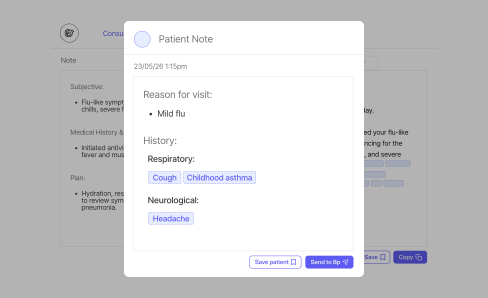
Support for nurses and care teams
Draft assessments and care plans directly inside Bp, then hand over to the GP in one click.
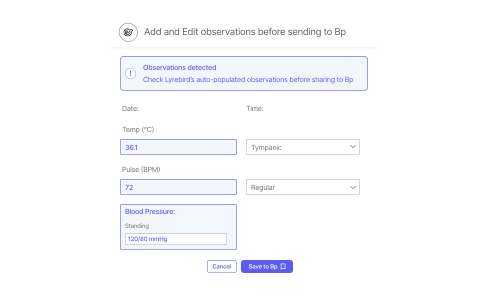
Observations & structured writeback
Observations discussed (BP, weight) automatically populate the correct fields in Bp.
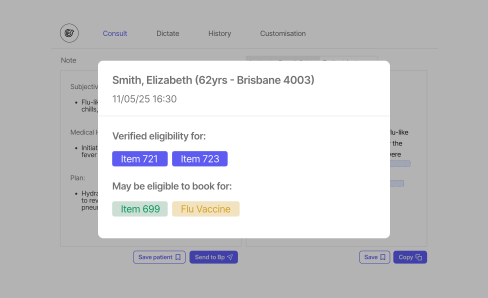
Integrated MBS care prompts
Cubiko integration displays potential eligible MBS items, allowing clinical workflows to be launched based on relevant billing codes.
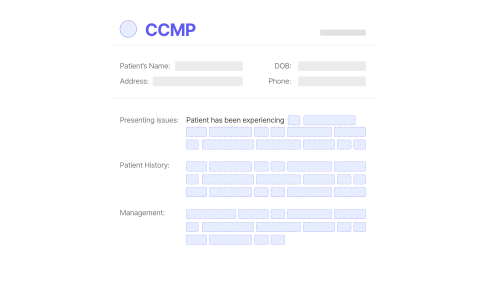
CCMPs completed during your consult
References your patient record in Bp and drafts CCMPs (721 and 732) while you are still with your patient, saving directly into Bp.
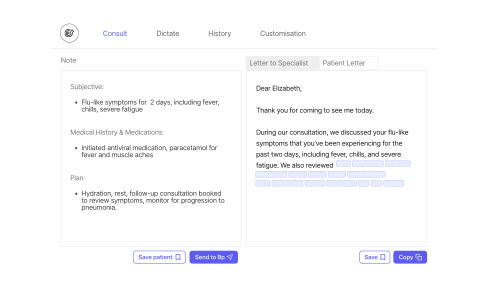
Forms, patient letters and assessments
Generate clear summaries, next steps and follow-ups from the consult. You review and send.
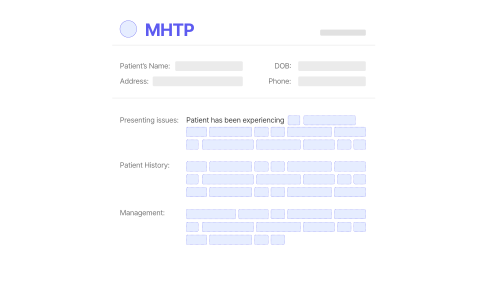
MHTPs in minutes, not sessions
Invite patients to complete DASS-21 before consult. Responses populate a structured plan, saved to BP instantly.
When more is completed during your consult, less follows you home
Documentation drafted during the consult means: Less to finish later. Less cognitive switching. Better eye contact. Evenings left alone.
80%
reduction in post-consult documentation time for some clinicians
88%
clinician-reported improvement in note quality
84%
reported workflow efficiency gains
68%
of patients said clinicians engaged more directly with them

The results are so significant that we are planning to roll this out to all 32 of our doctors ASAP. This isn't just an efficiency tool; it's a critical investment in our entire operation
Dene Creegan
General Manager of the 7 Springs Medical Practice in Toowoomba, Australia
Free, without compromising compliance
Download our current Cyber Essentials Plus certificate

All data is handled within Australia and aligned with Australian Privacy Principles.

Consultations and notes are protected with strong encryption and strict data controls.

Notes and transcripts are never sold, shared or used to train external AI models.


Aligned with APP, HIPAA, and GDPR.
Frequently asked questions
What does the Lyrebird + Bp integration actually do?
Lyrebird can read from and write into Bp Premier. It auto-loads patient data (name, sex, consent) and sends MDO-approved and compliant notes, observations, plans, and assessments directly back into the patient file — no copying and pasting.
What information does Lyrebird pull from Bp?
- Patient demographics
- Consent status
- Medications
- Allergies
- Medical/Social/Family history
- Active conditions
- Previous care plans (from Correspondence Out)
- Past consult notes (context for accuracy)
What information does Lyrebird write back into Bp?
- Consult notes
- Observations
- Chronic Condition Management Plans (965/967)
- CCMP Reviews
- Mental Health Treatment Plans
- Health Assessments (715, 75+, 45–49 etc.)
- Letters, certificates, forms
Where does Lyrebird save documents inside Bp?
All Care Plans, Health Assessments, and documentation save into the Correspondence Out section once the GP clicks “Save to Bp.”
If not visible immediately, refresh the Bp patient file (F5).
Does Lyrebird replace the Bp record?
No. Lyrebird enhances documentation but Bp remains the medical record of truth.

The only AI scribe built into Best Practice
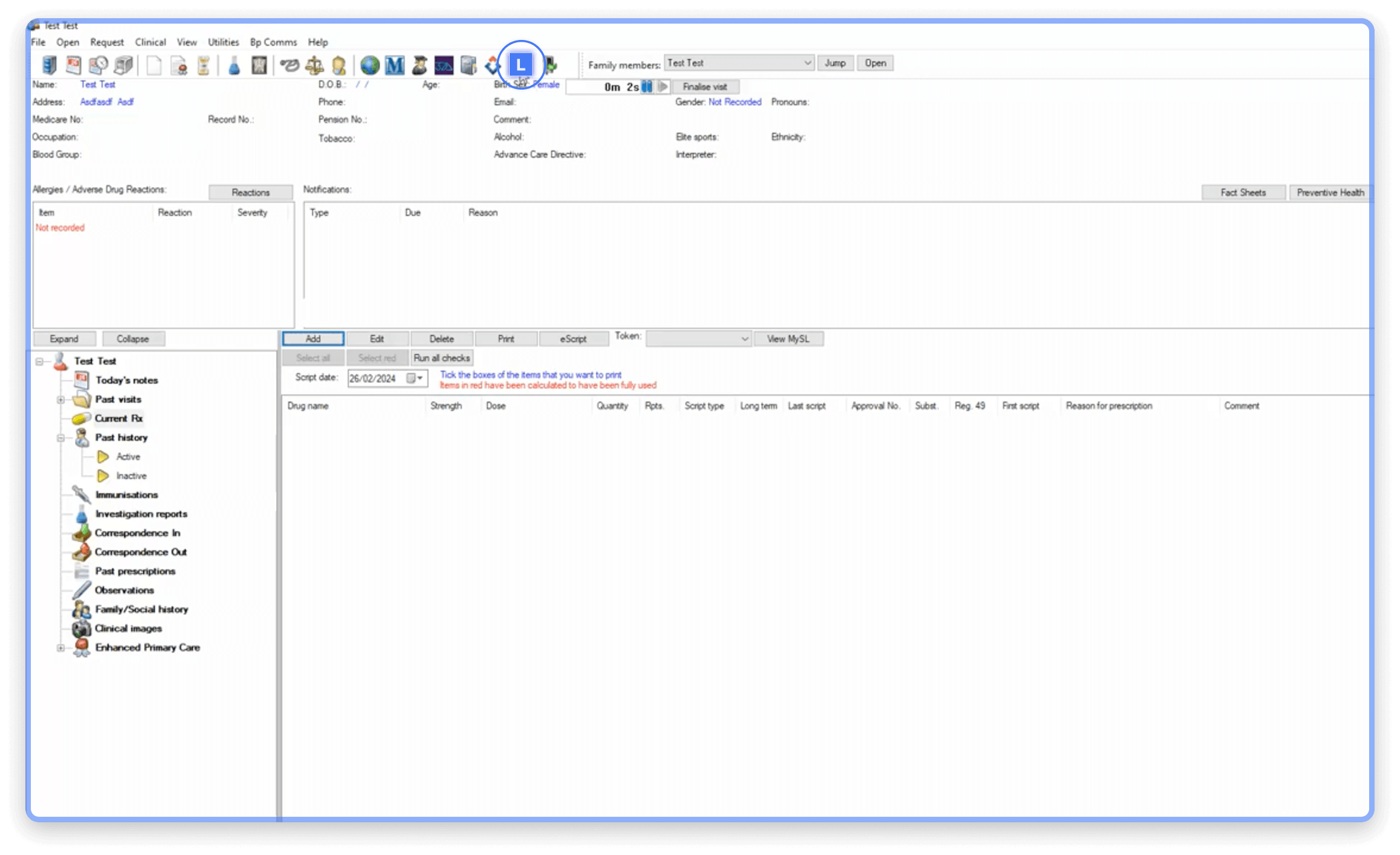
Open Lyrebird from the L button in your Bp toolbar and see the difference

Built for the future of care.
© 2026 Lyrebird. All rights reserved.